The Challenge
MoreTekk needed a professional platform to sell digital music downloads without relying on third-party distribution services that take significant cuts of revenue. The solution had to provide:
- Secure payment processing with multiple payment methods
- Instant digital product delivery after purchase
- A modern, artist-focused design that reflects the brand
- Order management and purchase history for customers
- Administrative tools for product management
The Solution
I built a custom e-commerce platform using cutting-edge web technologies that prioritize performance, security, and user experience.
Technical Architecture
- TanStack Start & React: Built with TanStack Start for modern full-stack React development, providing server-side rendering and optimal performance.
- PostgreSQL & Drizzle ORM: Used PostgreSQL for reliable data storage with Drizzle ORM for type-safe database queries and migrations.
- Stripe Integration: Implemented Stripe for secure payment processing, supporting multiple payment methods and currencies.
- Digital Delivery: Created an automated system for instant digital product delivery via secure download links.
- Better Auth with Multiple OAuth Providers: Secure authentication system using Better Auth, supporting email login, Google OAuth, Discord OAuth, and Spotify OAuth2, with role-based permissions for admin access.
Customer-Facing Features
- Modern storefront with product browsing and search
- Secure checkout process with Stripe payment integration
- Instant download delivery via email confirmation
- Customer account management with purchase history
- Responsive design optimized for all devices
Admin Dashboard
A comprehensive admin dashboard provides MoreTekk with complete control over the platform. The dashboard features a modern, collapsible sidebar interface with intuitive navigation and real-time data management.
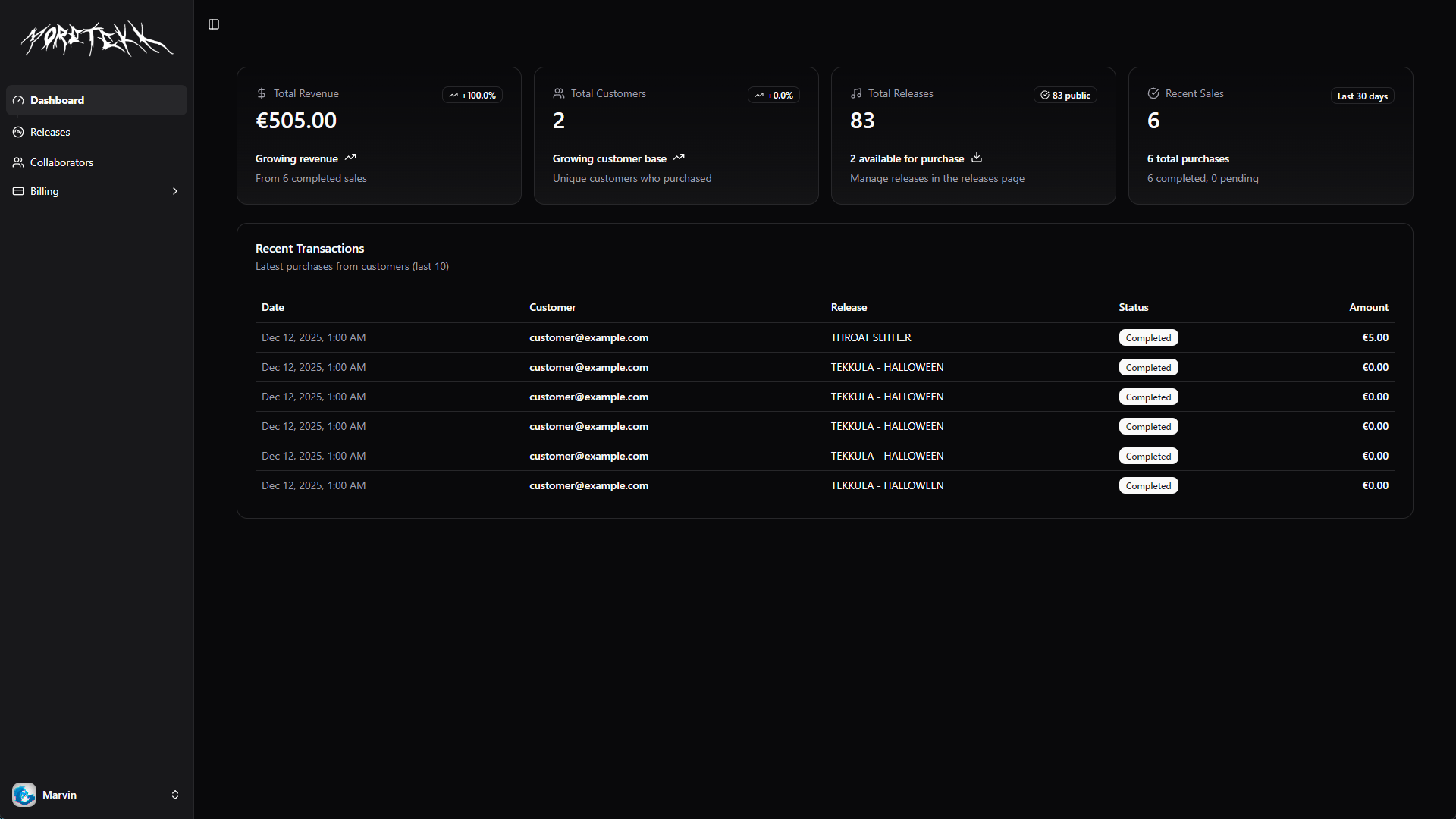
Collapsible sidebar navigation with modern UI components
Release Management
The releases section allows full CRUD operations for managing music tracks, EPs, and albums. The system supports both single releases and full albums with tracklistings, providing flexibility for different types of content.
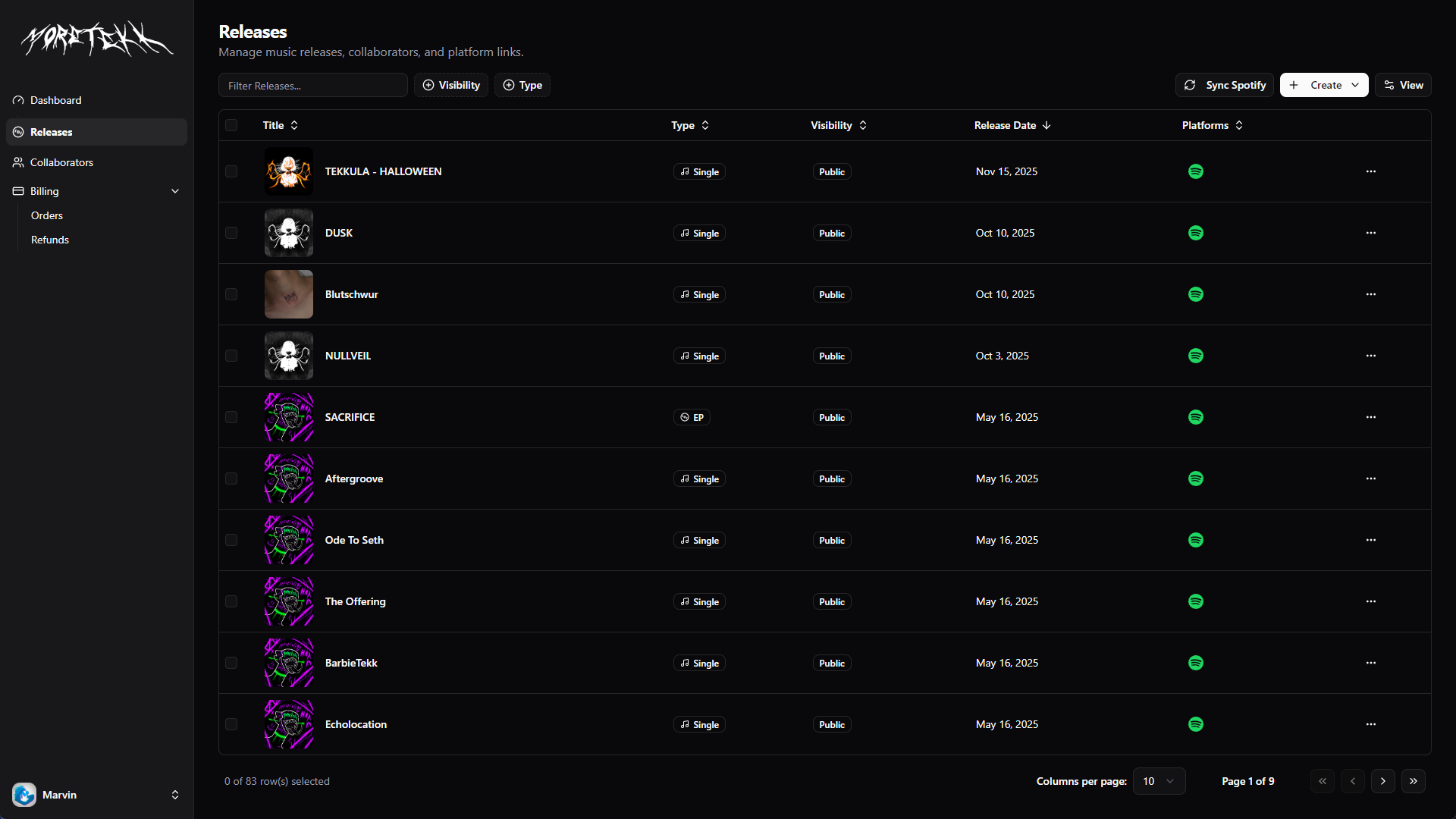
Advanced data table with filtering, sorting, and search capabilities
Spotify Integration
A powerful “Sync Spotify” feature allows automatic import of all releases directly from MoreTekk’s Spotify artist profile. With one click, the system fetches and recreates all albums, singles, and EPs from Spotify, complete with track metadata, cover art, and platform links—saving hours of manual data entry and ensuring consistency across platforms.
Creating a Single Release: A Streamlined Experience
Adding a new single to the platform is remarkably straightforward. The process is designed to be intuitive while capturing all necessary information in a single, well-organized form.
- 1. Basic Information
Start by entering the track title, selecting the genre from a comprehensive dropdown, and setting the release date. The genre selector includes popular options like Electronic, Dubstep, and Drum & Bass, with support for custom genres.
- 2. Add Collaborators
Select artists and collaborators from the existing database or add new ones on the fly. Each collaborator can be assigned a specific role (Main Artist, Featured Artist, or Remixer), and they can be reordered via simple drag-and-drop to control how credits appear on the release page.
- 3. Upload Cover Art
Drag and drop the album artwork, or click to browse. The system automatically handles image optimization—cropping to a perfect square, resizing to 3000x3000 pixels, and converting to WebP format for optimal web performance. Preview the image instantly before submitting.
- 4. Platform Links
Add links to where the track is available—Spotify, Apple Music, SoundCloud, and YouTube. Simply paste the URL and the system automatically normalizes the format. These links make it easy for fans to find the music on their preferred platform.
- 5. Visibility Control
Choose whether the release should be Public (visible to everyone), Private (admin-only access), or Unlisted (accessible via direct link but not shown in listings). This gives full control over when and how the music is revealed.
- 6. Enable Downloads & Pricing
Toggle downloads on or off. When enabled, set the price (or leave it at €0 for free downloads) and upload the high-quality audio file. The system supports MP3, WAV, FLAC, AAC, and OGG formats up to 500MB, automatically extracting track duration and preparing the file for instant delivery after purchase.
- 7. Submit & Done
Click “Create Single” and the system handles everything—creating the database record, processing and uploading the cover art and audio file, and generating a clean URL slug. Within moments, the release is live and ready to share.
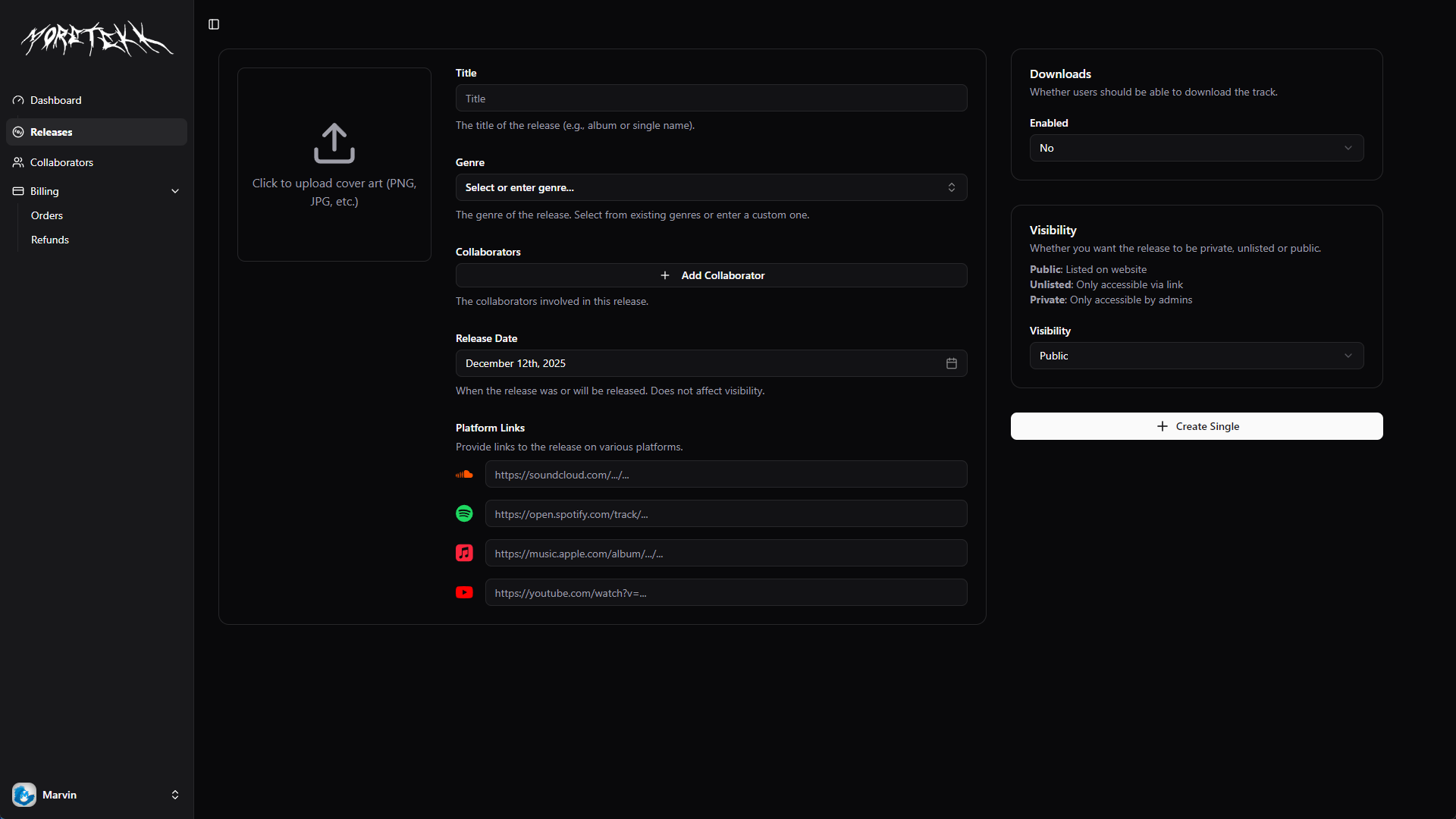
The single release form with all sections visible and organized
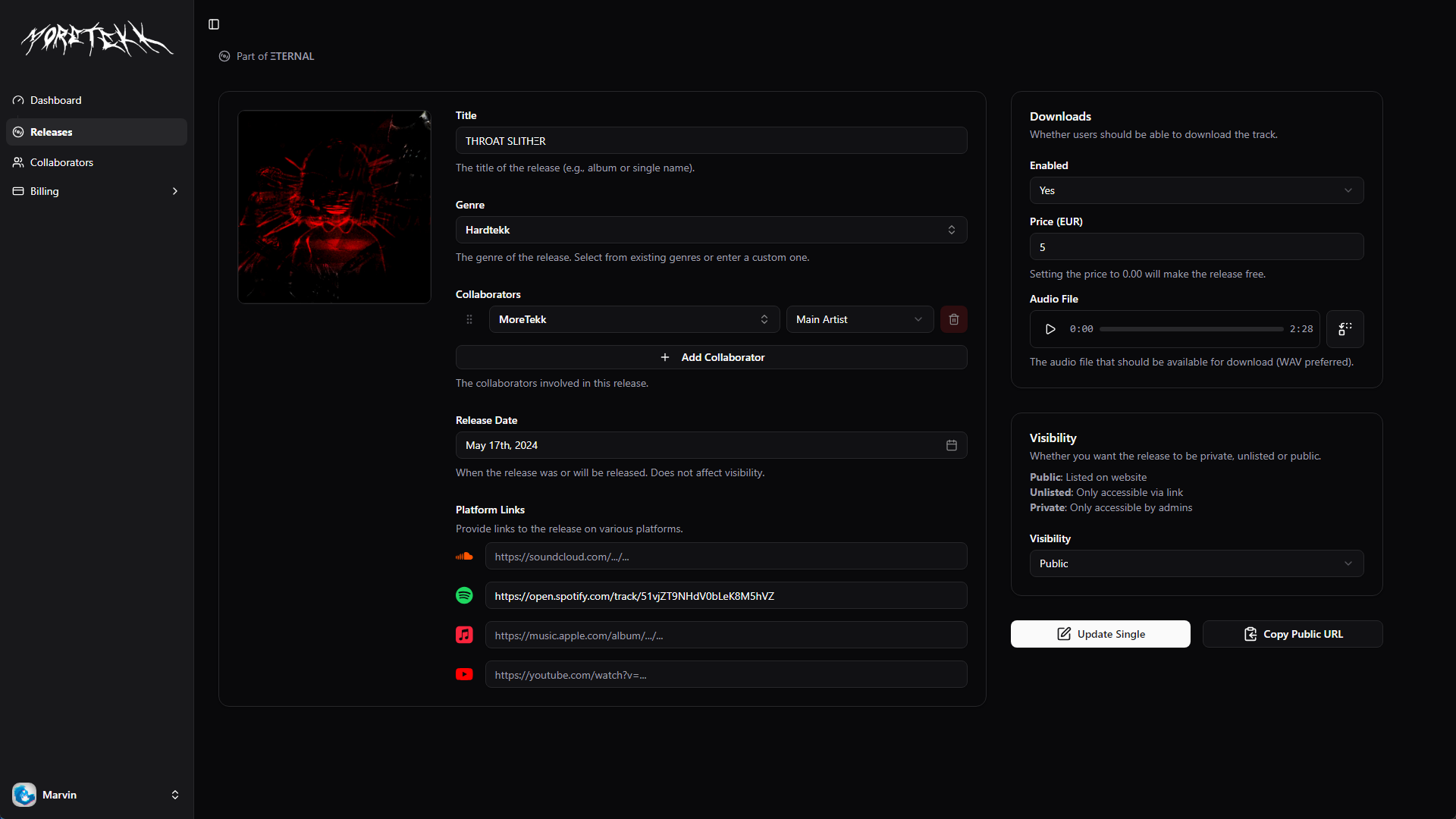
Example of a completed single release form with all data filled in
Creating an Album or EP: Effortless Multi-Track Management
Albums and EPs require managing multiple tracks, but the dashboard makes this process surprisingly simple through intelligent defaults and an intuitive tracklist builder.
- 1. Album Setup
The album creation process starts similarly to singles—enter the album title, genre, release date, and album-level collaborators. Add the album’s cover art and set up platform links. These settings become the defaults for all tracks, dramatically reducing repetitive data entry.
- 2. Build the Tracklist
Click “Add Track” to open a track dialog. Here’s where the system shines: the form is pre-populated with the album’s collaborators, genre, release date, and platform links. For tracks that match the album’s metadata, this means minimal input—just add the track title and upload the audio file.
- 3. Per-Track Customization
Need to override the defaults? No problem. Each track can have its own unique collaborators, genre, or even custom cover art. For example, if track 3 features a different artist, simply add them to that track’s collaborator list. The system handles singles, features, and remixes with equal ease.
- 4. Drag-and-Drop Reordering
Changed your mind about the track order? Click and drag tracks to reorder them instantly. Track numbers update automatically, and the final order determines how the album appears to fans.
- 5. Edit or Remove Tracks
Noticed a typo or want to change a track’s metadata? Click the edit icon to modify any track. Need to remove a track? Click the delete button and confirm—the remaining tracks automatically renumber themselves.
- 6. Atomic Creation
When ready, click “Create Album” and the system creates the entire album and all its tracks in a single database transaction. This ensures data consistency—no partial albums or orphaned tracks. The cover art and all audio files are processed and uploaded automatically.
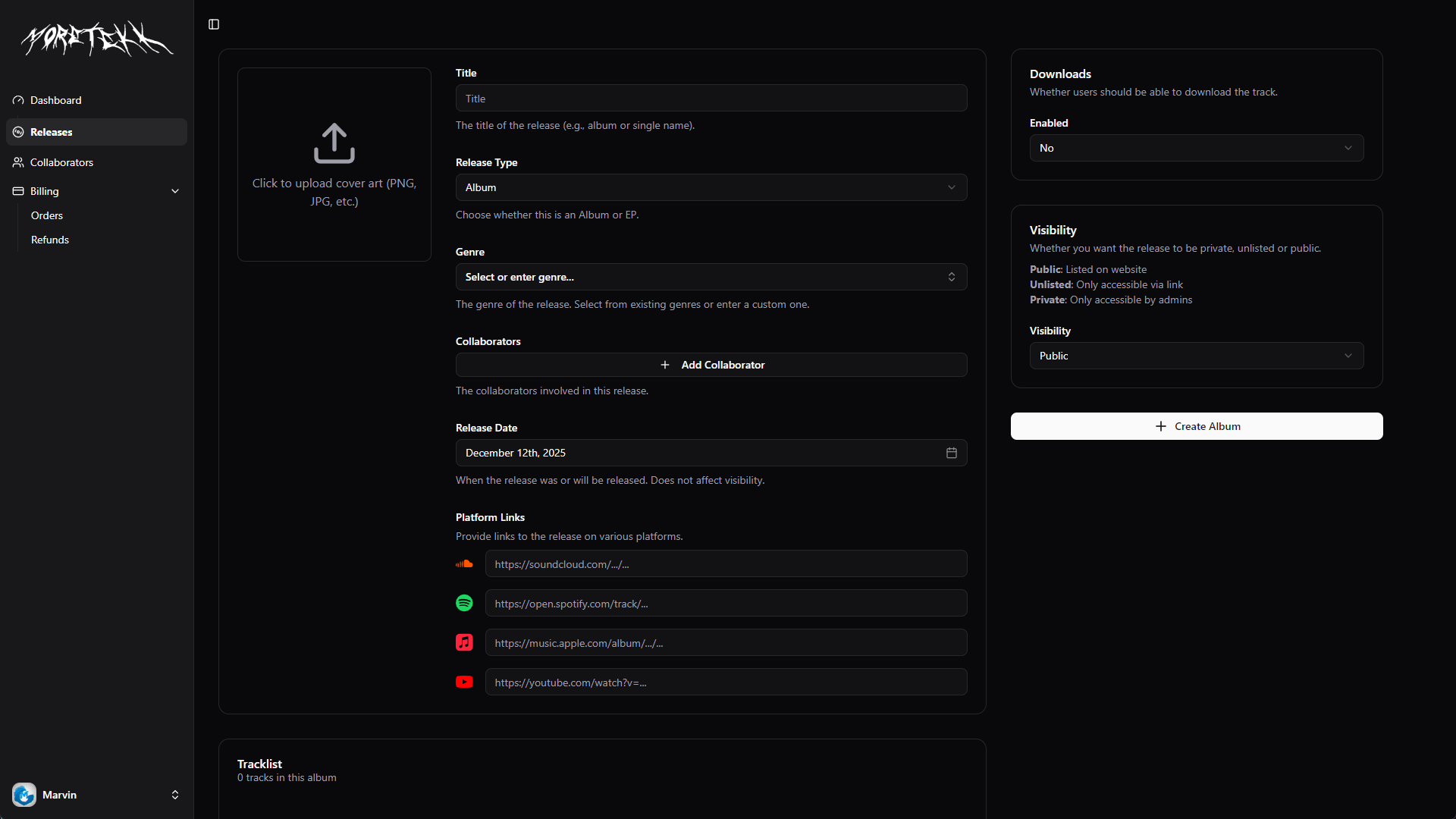
The album creation form showing the main album details and tracklist section
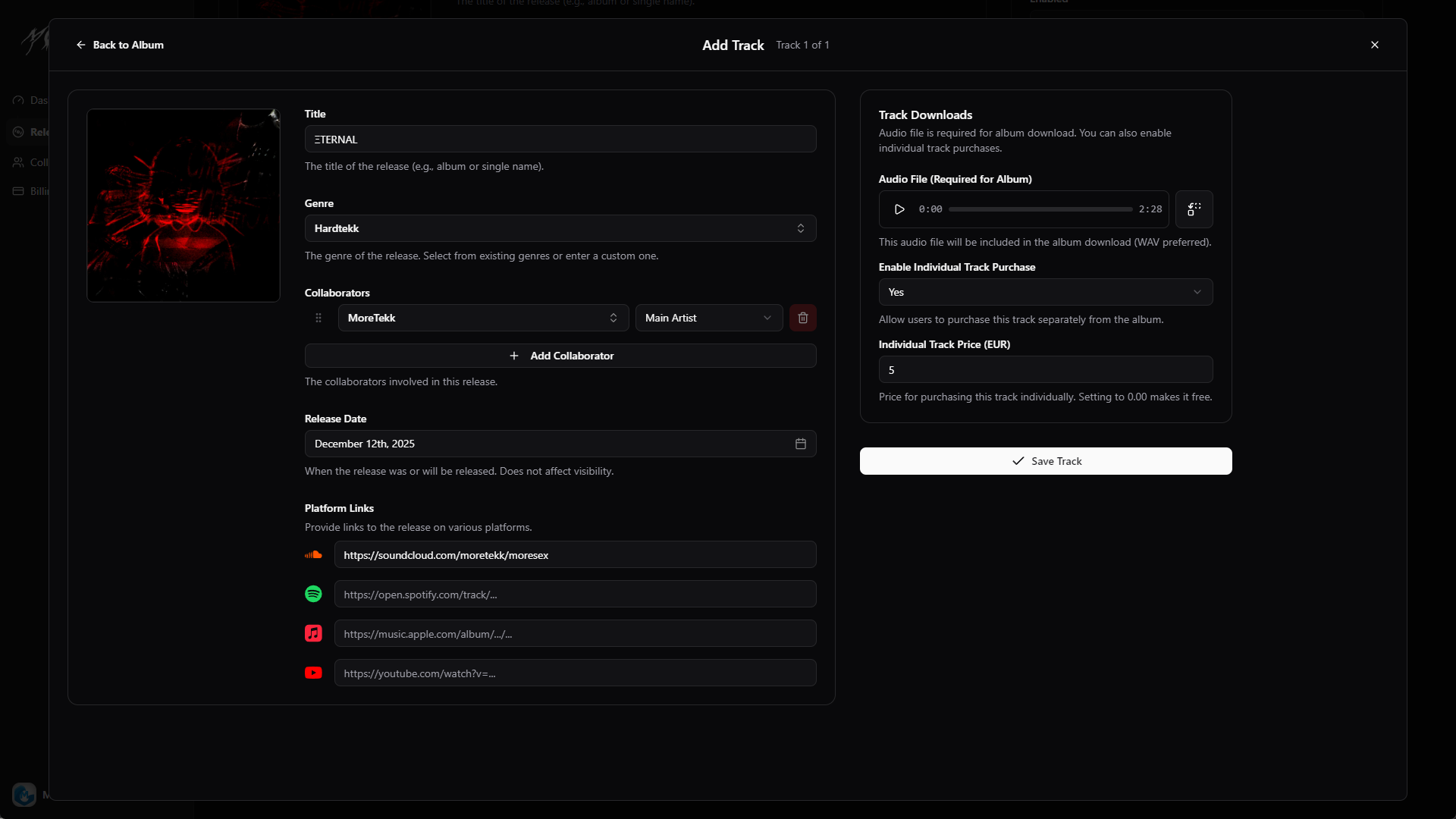
The “Add Track” dialog with fields pre-populated from album defaults
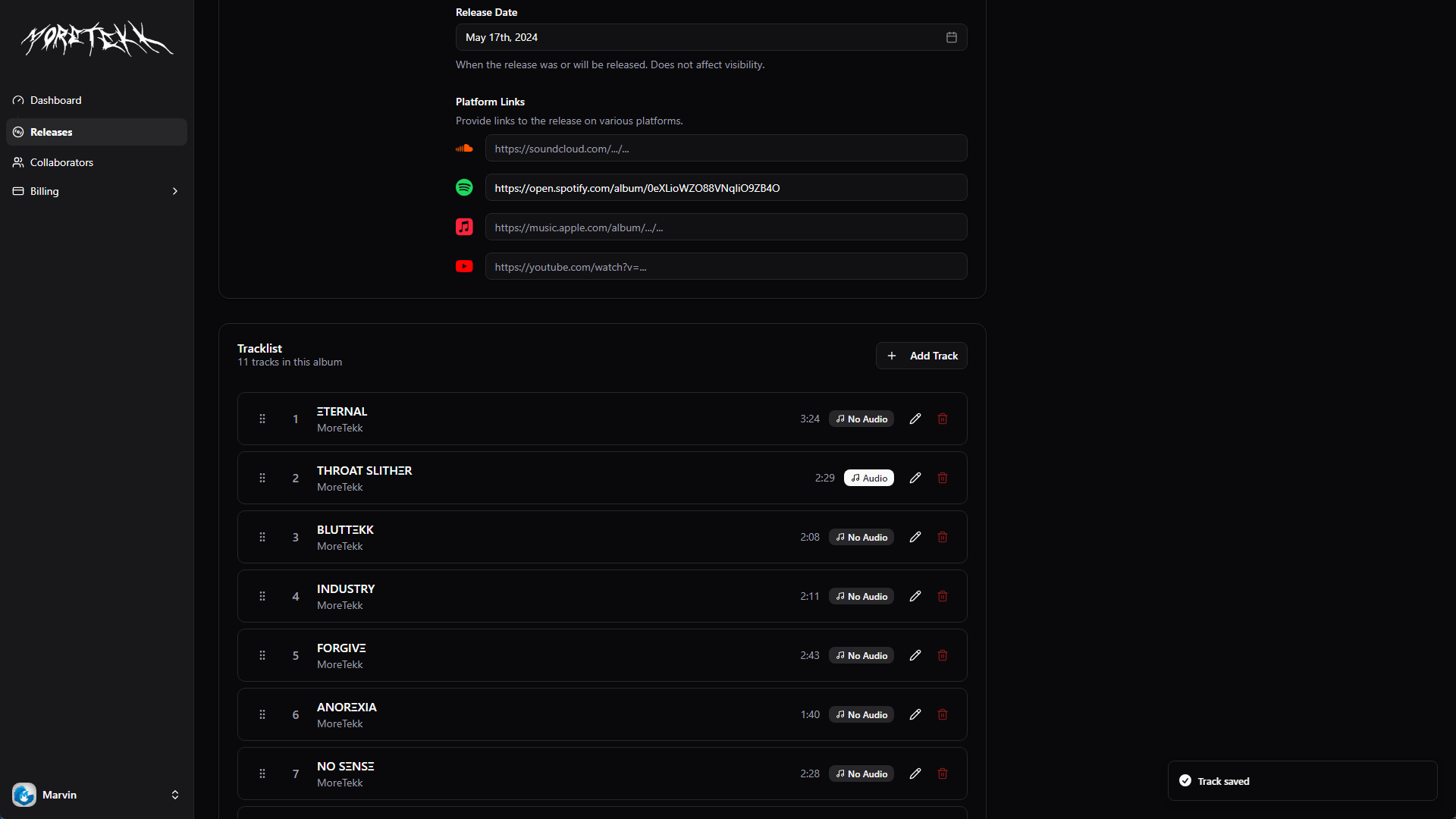
Example of a completed album with multiple tracks in the tracklist
Smart Defaults Save Time
The key to the album workflow’s efficiency is intelligent inheritance. By setting album-level defaults that cascade to tracks, repetitive data entry is eliminated. For a 10-track album where most tracks share the same collaborators and genre, this can reduce data entry by 80% or more compared to managing each track independently.
Additional Management Features
- Advanced Table View: Browse all releases in a powerful data table with search, filtering by type and status, column sorting, and pagination
- One-Click Editing: Edit any release by clicking the edit icon—the form pre-populates with all existing data, ready to modify
- Quick Actions: View the public release page or delete releases directly from the table with confirmation dialogs
- Real-Time Validation: Form validation prevents errors before submission, with helpful error messages guiding corrections
Collaborator Management
A dedicated system for managing artists and collaborators who can be associated with releases. Each collaborator can have their own profile with avatar, role, and platform links.
- Create collaborator profiles with avatars and platform links
- Assign collaborators to releases with specific roles (Main Artist, Featured Artist, Remixer)
- Reusable collaborator profiles across multiple releases
- Role-based categorization for proper credits
Dashboard Overview & Analytics
Upon logging into the admin dashboard, MoreTekk is greeted with a comprehensive overview page that provides real-time visibility into sales performance and key business metrics. Analytics cards display total revenue, total downloads, active releases, and total collaborators at a glance, while a recent transactions table shows the latest purchase activity with detailed order information.
Real-time analytics showing revenue, downloads, and recent orders
Order Management
The dedicated orders section provides comprehensive order management through Stripe integration. View complete customer order history with payment status badges, transaction details, and direct links to the Stripe Dashboard for in-depth analysis. The system also supports refund processing, giving complete control over financial operations.
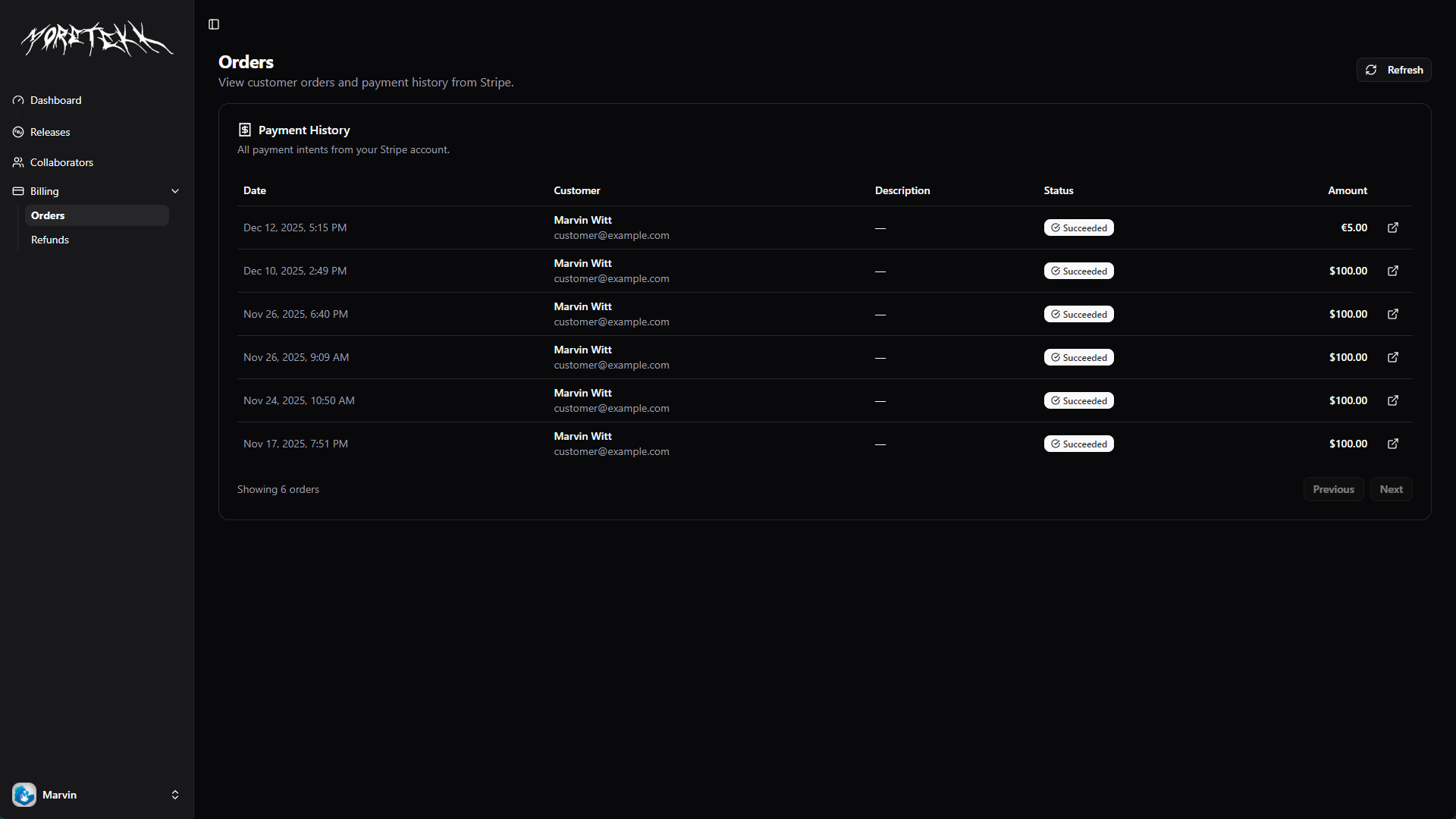
Order history with payment status tracking and Stripe integration
Security & Access Control
The admin dashboard implements robust security measures to ensure only authorized users can manage the platform. Using Better Auth with multiple authentication providers (email, Google OAuth, Discord OAuth, and Spotify OAuth2), the system provides secure, flexible access control with role-based permissions.
The Customer Experience
While the admin dashboard provides powerful management capabilities, the customer-facing website delivers a sleek, modern experience for fans to discover and purchase music.
Landing Page & Release Discovery
The homepage showcases all public releases with an elegant grid layout, featuring cover art, release titles, and quick access to platform links. Visitors can browse the catalog and navigate to individual release pages for more details.
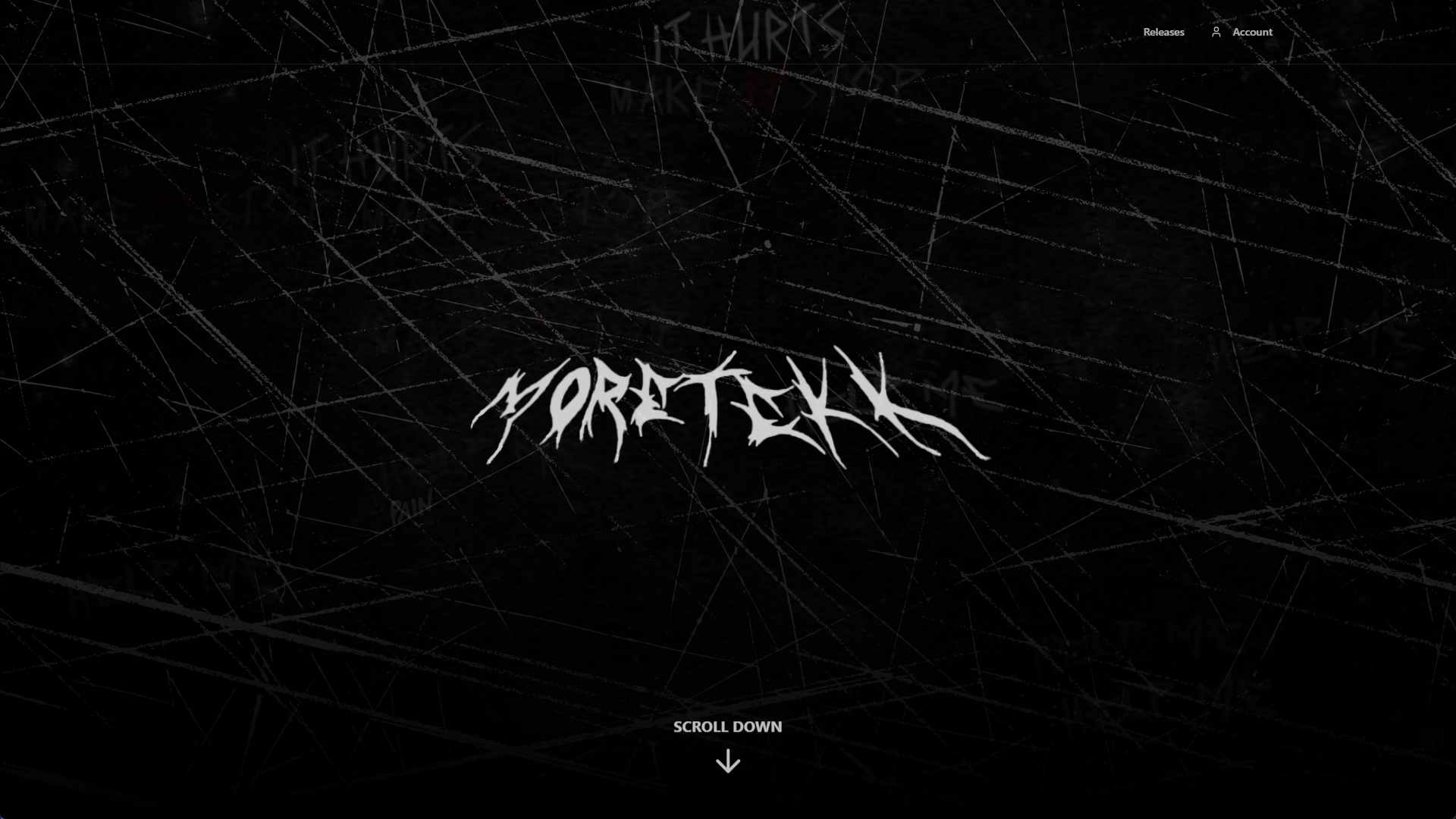
Clean, modern landing page with artist branding
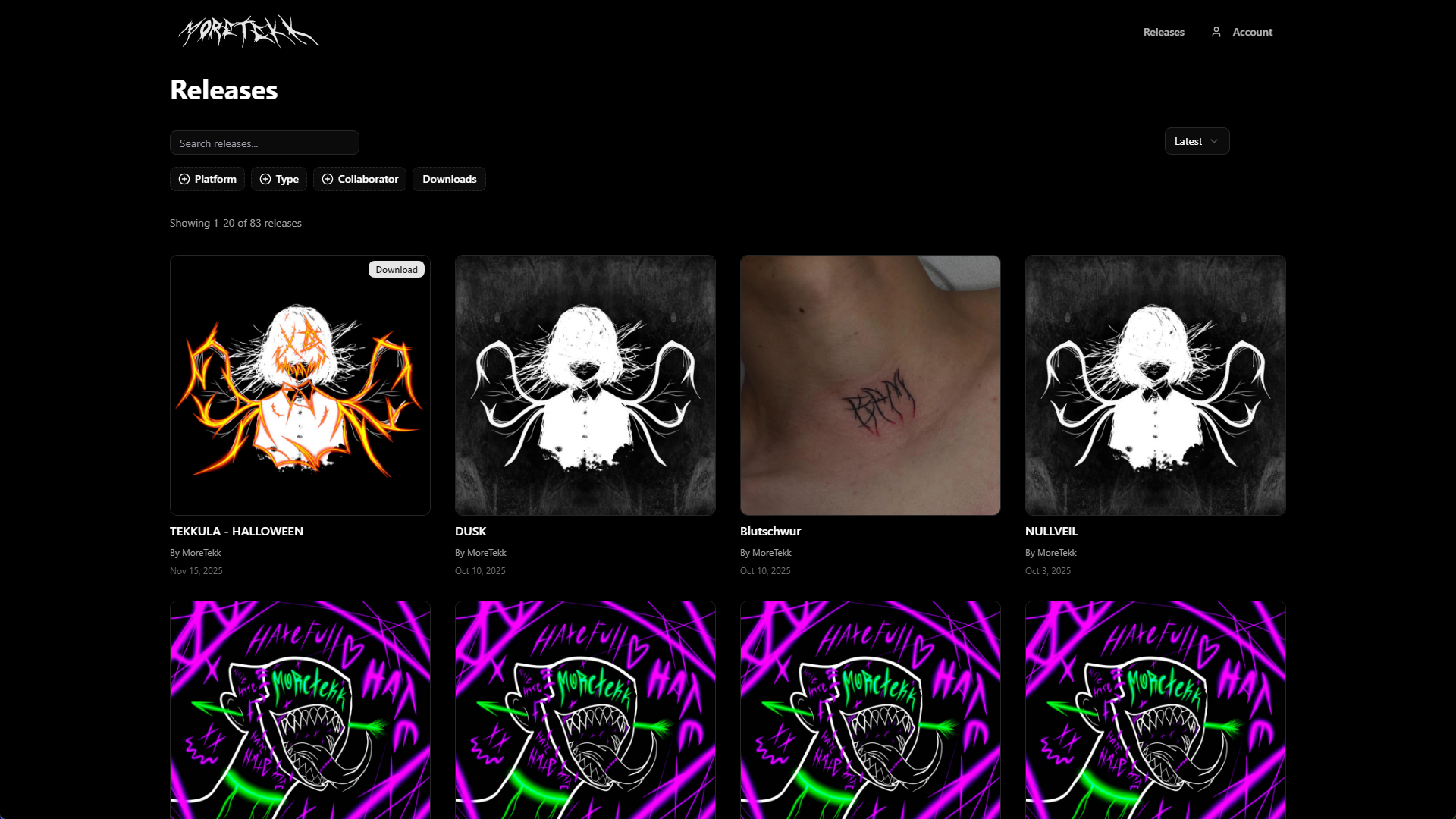
Grid layout showcasing all public releases with cover art
Release Pages & Album Views
Each release has a dedicated page displaying the cover art, collaborator information, and links to streaming platforms. Album pages feature complete tracklists with individual track details, making it easy for fans to explore the full release.
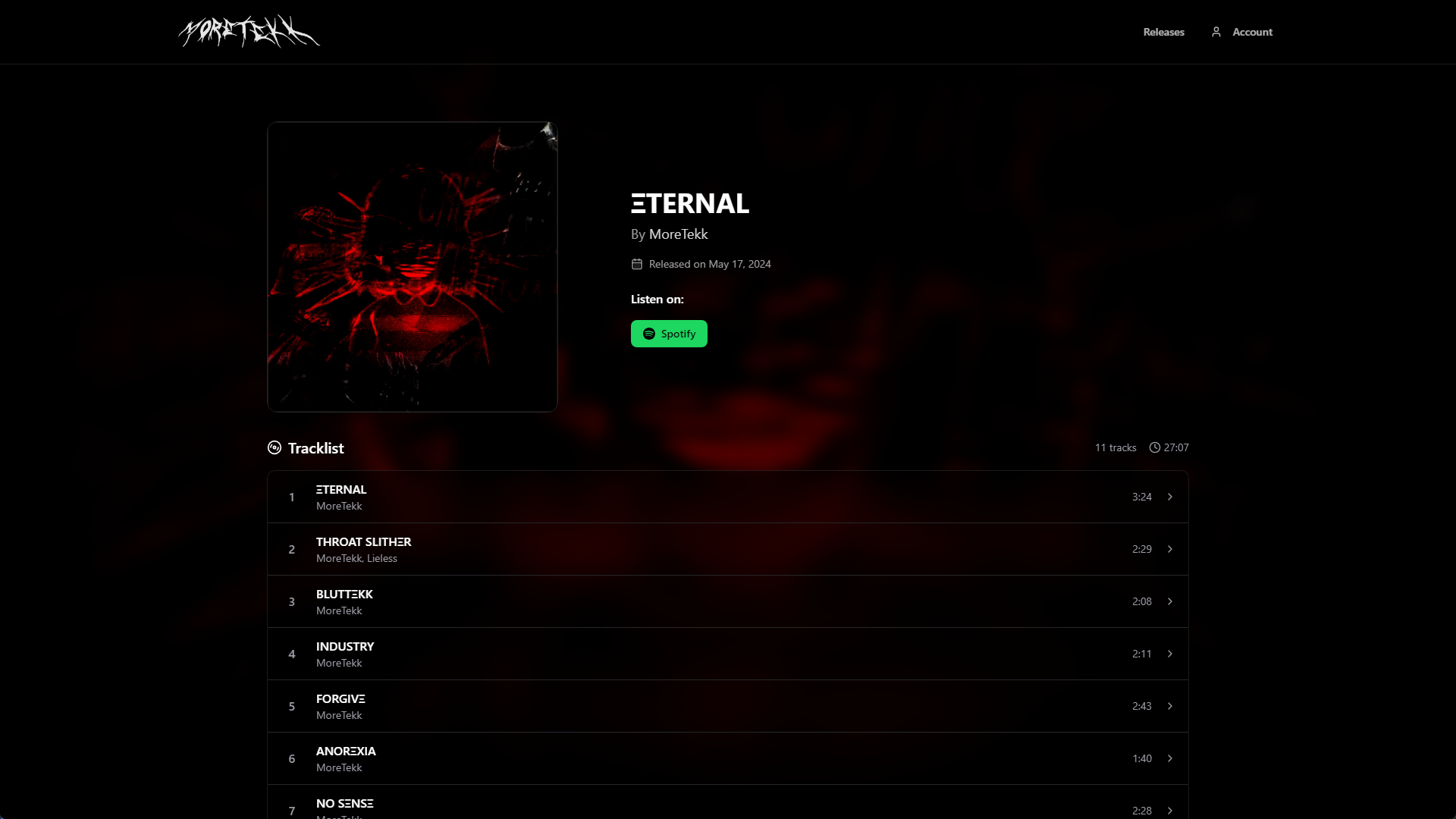
Album page with complete tracklist and platform links
Seamless Checkout & Digital Delivery
The purchase flow is streamlined and secure, powered by Stripe. Customers can complete their purchase in just a few clicks, and downloads are delivered instantly via email confirmation. The interface adapts based on whether the purchase is for a single track or an album with multiple tracks.
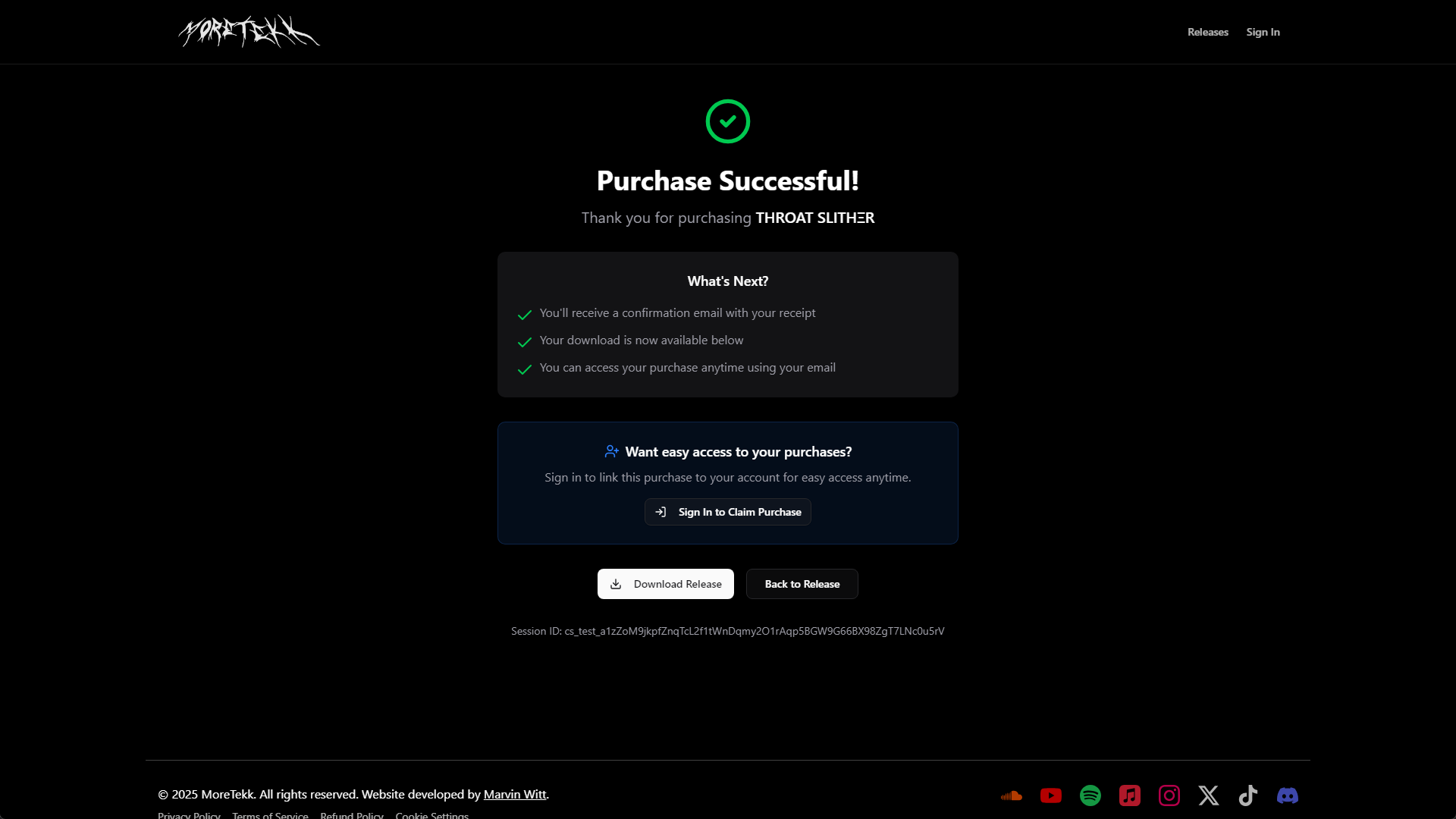
Single release purchase page with track details and download option
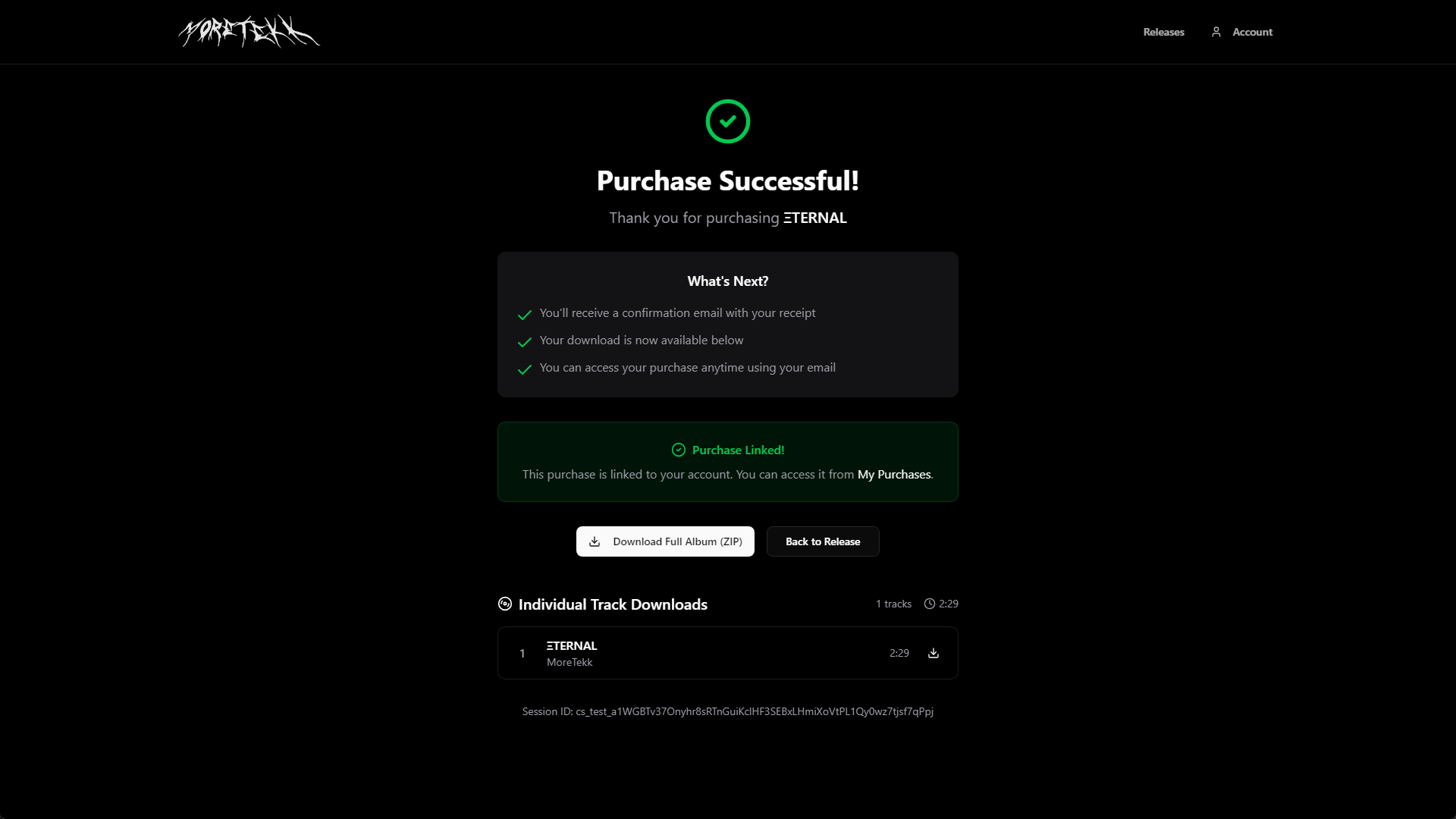
Album purchase page displaying complete tracklist
Customer Account Management
Registered customers have access to a personal dashboard where they can view their purchase history and re-download their tracks at any time. Account settings allow users to manage their profile and preferences.
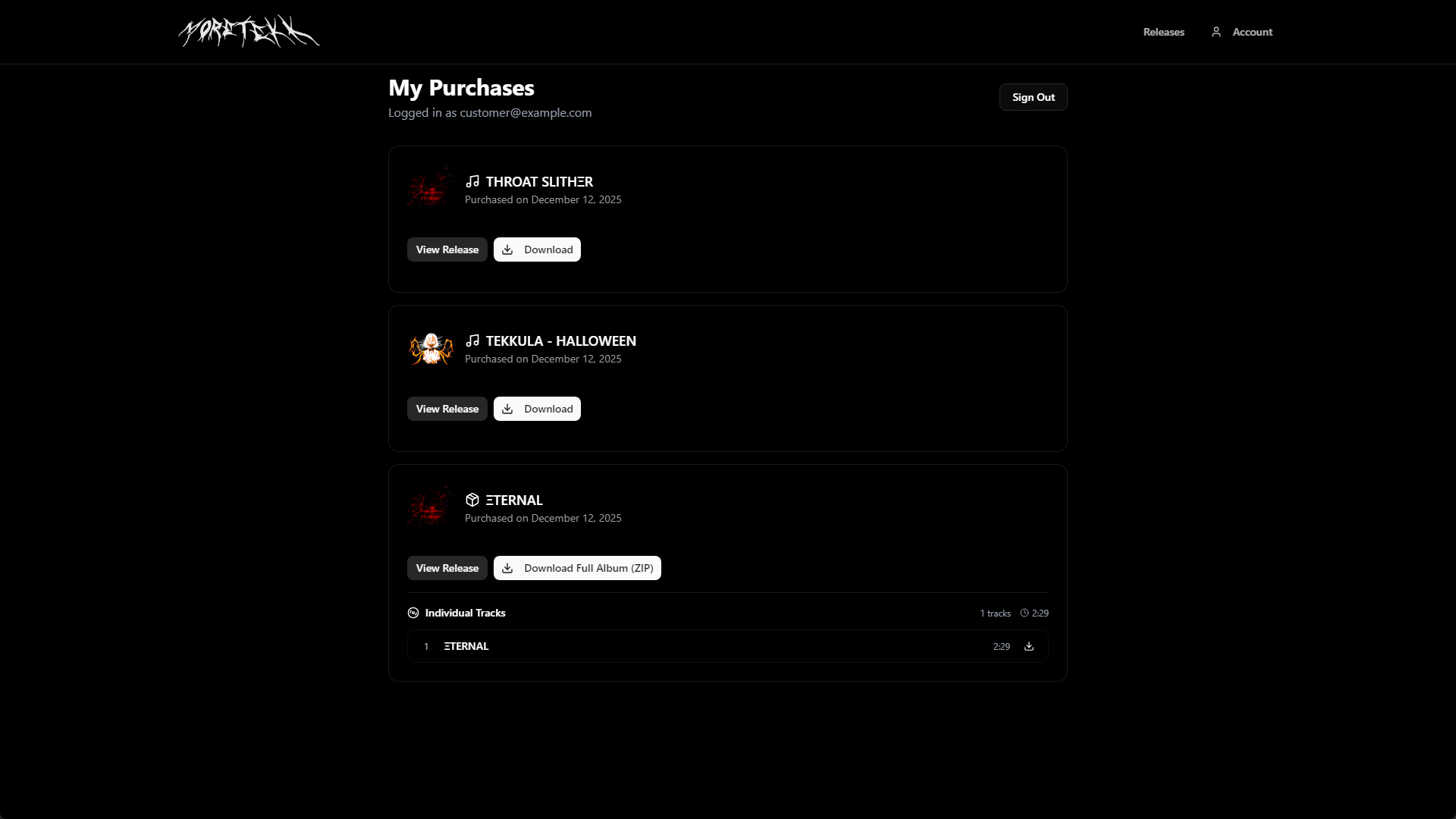
Purchase history with download access
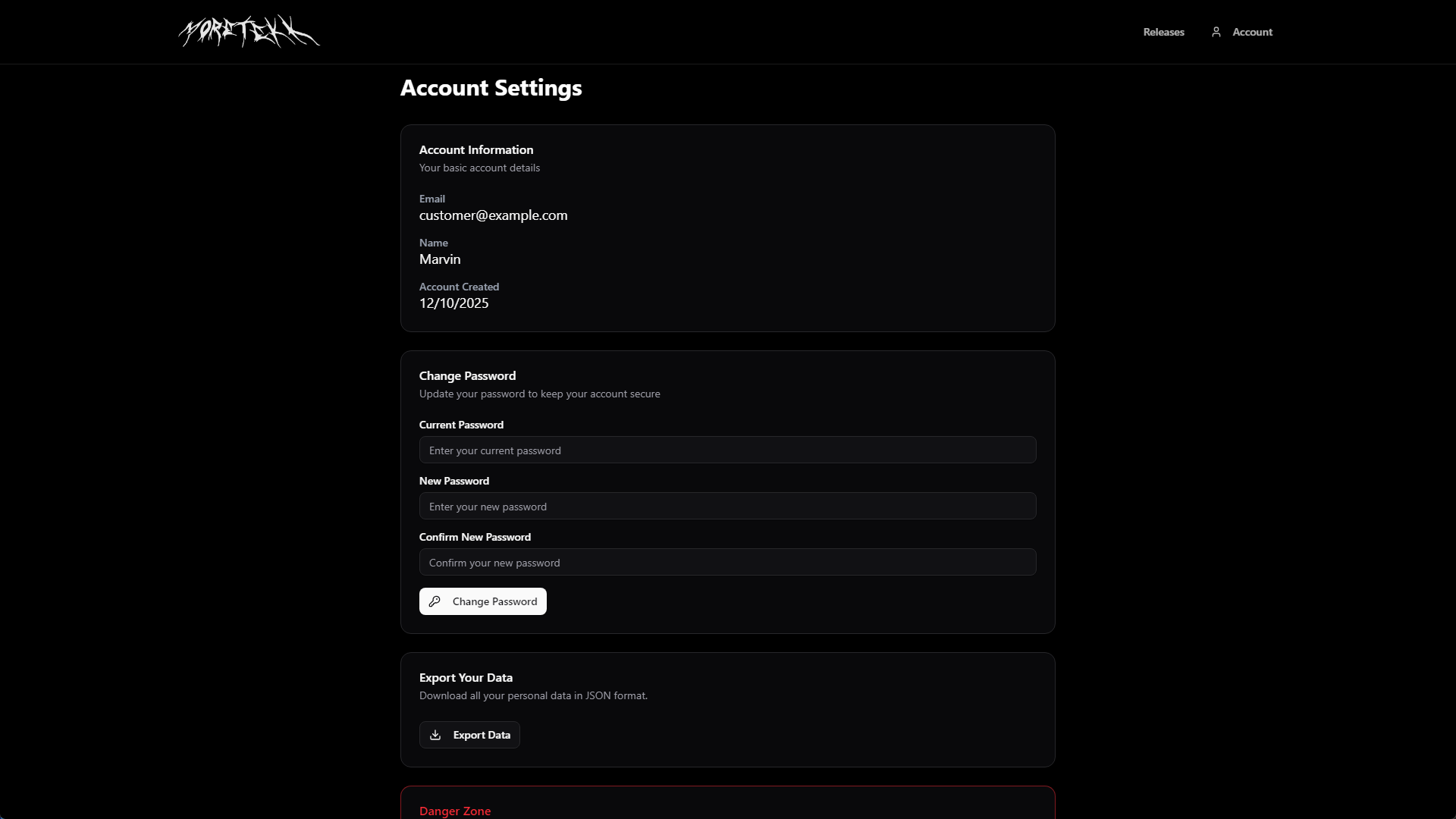
Customer account settings
Results
The platform successfully launched and provides MoreTekk with a professional, fully-owned e-commerce solution. The custom implementation allows for complete control over the customer experience and eliminates third-party service fees.
The project demonstrates the effectiveness of modern web technologies in creating specialized e-commerce solutions tailored to specific industry needs.